 Maria Oscar

Yes, Boost Inbox is designed to cater to businesses of all sizes and industries.
- What Is Email Deliverability?
- Why Email Deliverability Matters
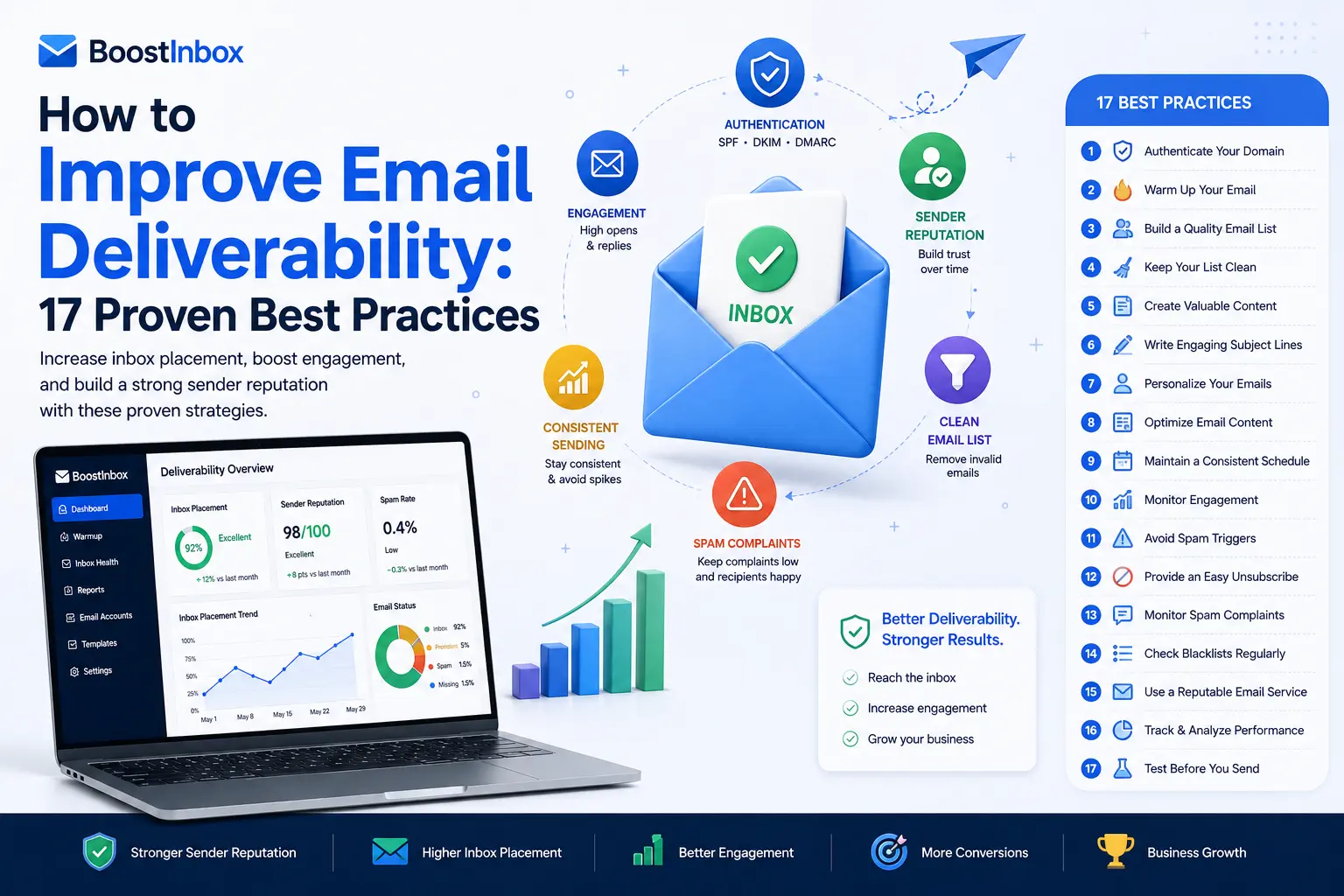
- 17 Proven Best Practices to Improve Email Deliverability
- 1. Authenticate Your Domain
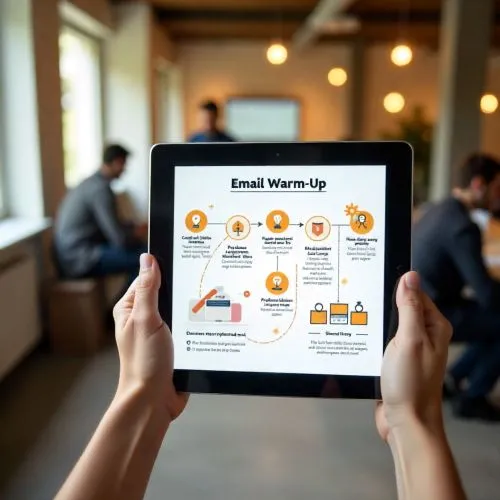
- 2. Warm Up New Email Accounts Gradually
- 3. Maintain a Clean Email List
- 4. Never Purchase Email Lists
- 5. Monitor Your Sender Reputation
- 6. Write Relevant, Valuable Emails
- 7. Avoid Spam Trigger Practices
- 8. Encourage Subscriber Engagement
- 9. Segment Your Email List
- 10. Keep a Consistent Sending Schedule
- 11. Optimize Your Subject Lines
- 12. Make Unsubscribing Easy
- 13. Check Your Email Content Before Sending
- 14. Monitor Email Performance
- 15. Test Before Launching Large Campaigns
- 16. Remove Inactive Subscribers
- 17. Use a Reliable Email Deliverability Platform
- Common Email Deliverability Mistakes
- Signs Your Email Deliverability Needs Improvement
- Email Deliverability Checklist
- How Boost Inbox Helps Improve Email Deliverability
- Frequently Asked Questions
- Final Thoughts
How to Improve Email Deliverability: 17 Proven Best Practices
No matter how well-written your email is, it won't generate results if it never reaches your recipient's inbox.
Many businesses struggle with poor email deliverability without realizing it. Emails end up in spam folders, bounce back, or never reach their intended audience, leading to lower open rates, fewer conversions, and missed business opportunities. Improving deliverability requires a combination of email authentication, sender reputation management, email warm-up, list hygiene, and ongoing monitoring.
The good news is that email deliverability can be improved. By following proven best practices and maintaining a healthy sending reputation, you can increase the chances of your emails landing in the inbox instead of the spam folder.
In this guide, you'll learn 17 practical strategies to improve email deliverability and build long-term trust with email providers.
Quick Answer
To improve email deliverability, authenticate your domain with SPF, DKIM, and DMARC, warm up new email accounts gradually, maintain a clean email list, send valuable content to engaged subscribers, monitor sender reputation, and follow email marketing best practices. Consistently applying these strategies helps increase inbox placement and reduce the risk of emails being marked as spam.
What Is Email Deliverability?
Email deliverability refers to your ability to successfully deliver emails to your recipients' inboxes rather than having them blocked, bounced, or filtered into spam folders.
Deliverability depends on several factors, including:
- Sender reputation
- Domain reputation
- Email authentication
- Recipient engagement
- List quality
- Sending behavior
- Email content
Even legitimate businesses can experience deliverability problems if these factors aren't properly managed.
Why Email Deliverability Matters
Poor deliverability affects much more than your open rate.
It can lead to:
- Lost sales opportunities
- Lower customer engagement
- Reduced campaign performance
- Damaged sender reputation
- Increased spam complaints
- Higher bounce rates
- Wasted marketing efforts
Improving deliverability ensures your emails reach the people who actually want to receive them.
17 Proven Best Practices to Improve Email Deliverability
1. Authenticate Your Domain
One of the most important steps is configuring email authentication.
Implement:
- SPF
- DKIM
- DMARC
These authentication protocols help mailbox providers verify that your emails are legitimate and reduce the likelihood of spoofing or phishing.
2. Warm Up New Email Accounts Gradually
Avoid sending hundreds of emails immediately from a new domain or mailbox.
Instead:
- Start with a small number of emails.
- Increase your sending volume gradually.
- Encourage genuine replies and interactions.
- Build a positive sending history over time.
A gradual warm-up process helps establish trust with email providers.
3. Maintain a Clean Email List
Regularly remove:
- Invalid addresses
- Inactive subscribers
- Duplicate contacts
- Spam traps
- Hard bounces
Sending emails to poor-quality lists damages your sender reputation.
4. Never Purchase Email Lists
Purchased email lists often contain outdated or invalid addresses.
They also tend to generate:
- Low engagement
- High bounce rates
- Spam complaints
Instead, focus on building your own permission-based email list.
5. Monitor Your Sender Reputation
Mailbox providers evaluate your sender reputation when deciding whether to deliver emails to the inbox.
Monitor factors such as:
- Bounce rate
- Complaint rate
- Open rate
- Spam reports
- Authentication status
Address issues promptly to protect your reputation.
6. Write Relevant, Valuable Emails
People engage with emails that solve problems or provide useful information.
Focus on delivering:
- Educational content
- Helpful resources
- Product updates
- Personalized recommendations
- Relevant offers
Better engagement signals improve deliverability over time.
7. Avoid Spam Trigger Practices
While modern spam filters are sophisticated, certain practices can still increase the likelihood of being filtered.
Avoid:
- Misleading subject lines
- Excessive capitalization
- Overusing promotional language
- Hidden text
- Misleading links
Write naturally and prioritize clarity.
8. Encourage Subscriber Engagement
Mailbox providers pay attention to how recipients interact with your emails.
Positive signals include:
- Opens
- Replies
- Clicks
- Saves
- Moving emails out of spam
Engaged subscribers help strengthen your sender reputation.
9. Segment Your Email List
Not every subscriber has the same interests.
Segment your audience based on:
- Purchase history
- Industry
- Location
- Engagement level
- Customer lifecycle stage
Targeted emails generally receive better engagement than generic campaigns.
10. Keep a Consistent Sending Schedule
Large, unpredictable spikes in sending volume can appear suspicious.
Maintain a consistent email schedule that aligns with your audience's expectations.
Consistency helps build trust with email providers.
11. Optimize Your Subject Lines
Your subject line influences whether recipients open your email.
Effective subject lines should be:
- Clear
- Relevant
- Honest
- Concise
- Personalized when appropriate
Avoid making promises your email doesn't deliver.
12. Make Unsubscribing Easy
Providing a clear unsubscribe option is not only a best practice but also helps reduce spam complaints.
It's better for an uninterested subscriber to unsubscribe than to mark your email as spam.
13. Check Your Email Content Before Sending
Review every campaign for:
- Broken links
- Formatting issues
- Spelling mistakes
- Incorrect personalization
- Missing images
Professional emails build trust and improve engagement.
14. Monitor Email Performance
Track important metrics such as:
- Inbox placement
- Open rate
- Click-through rate
- Bounce rate
- Complaint rate
- Unsubscribe rate
These insights help you identify problems before they become serious.
15. Test Before Launching Large Campaigns
Before sending to your entire list:
- Send test emails.
- Check formatting across devices.
- Verify links.
- Review authentication.
- Confirm personalization.
Testing reduces the risk of campaign-wide issues.
16. Remove Inactive Subscribers
Subscribers who haven't engaged with your emails for a long time may hurt overall engagement.
Consider running re-engagement campaigns before removing inactive contacts.
A smaller, engaged audience is often more valuable than a large inactive one.
17. Use a Reliable Email Deliverability Platform
Managing deliverability manually can become challenging as your email volume grows.
Specialized deliverability platforms help businesses:
- Warm up email accounts
- Monitor inbox placement
- Improve sender reputation
- Track email performance
- Identify deliverability issues
- Maintain healthy sending practices
Using the right tools simplifies ongoing deliverability management.
Common Email Deliverability Mistakes
Many businesses unknowingly reduce their deliverability by:
- Sending emails from unauthenticated domains.
- Purchasing email lists.
- Ignoring bounce reports.
- Sending inconsistent email volumes.
- Failing to clean subscriber lists.
- Using misleading subject lines.
- Overlooking engagement metrics.
- Not monitoring sender reputation.
Avoiding these mistakes helps build long-term inbox success.
Signs Your Email Deliverability Needs Improvement
You may have deliverability problems if you notice:
- Declining open rates.
- Increasing bounce rates.
- Higher spam complaints.
- Fewer replies.
- Lower click-through rates.
- Emails consistently landing in spam folders.
- Reduced campaign performance.
Identifying these warning signs early allows you to take corrective action before your sender reputation is significantly affected.
Email Deliverability Checklist
Before sending any campaign, verify that you have:
- Configured SPF, DKIM, and DMARC.
- Warmed up new email accounts.
- Cleaned your email list.
- Tested your email.
- Verified links.
- Reviewed personalization.
- Used a clear subject line.
- Included an unsubscribe option.
- Checked campaign formatting.
- Scheduled your campaign appropriately.
A simple checklist can prevent many common deliverability issues.
How Boost Inbox Helps Improve Email Deliverability
Improving email deliverability requires ongoing attention to sender reputation, authentication, email list quality, and engagement.
Boost Inbox is designed to help businesses strengthen their email performance by supporting healthy sending practices, improving inbox placement, and simplifying deliverability management.
Whether you're launching cold outreach campaigns, managing customer communications, or scaling email marketing efforts, Boost Inbox provides tools that help protect your sender reputation while increasing the likelihood that your emails reach the inbox.
Combined with consistent email best practices, the right deliverability platform can help businesses build stronger relationships with their audience and achieve better campaign results.
Frequently Asked Questions
What is email deliverability?
Email deliverability is the ability of your emails to successfully reach recipients' inboxes instead of being filtered into spam folders or rejected by email servers.
What affects email deliverability the most?
The biggest factors include sender reputation, domain authentication, email list quality, recipient engagement, and consistent sending behavior.
How do SPF, DKIM, and DMARC improve deliverability?
These authentication protocols verify that your emails are legitimate, helping mailbox providers trust your messages and reducing the risk of spoofing or phishing.
How long does it take to improve email deliverability?
The timeline varies depending on the cause of the issue. Improvements can take anywhere from several days to several weeks as mailbox providers evaluate your sending reputation over time.
Can email warm-up improve inbox placement?
Yes. Gradually increasing sending volume while generating positive engagement helps establish a healthy sender reputation, improving the likelihood of future emails reaching the inbox.
Final Thoughts
Email deliverability is one of the most important factors in the success of any email marketing or outreach campaign. Even the best content cannot produce results if it never reaches your audience.
By authenticating your domain, maintaining a clean email list, warming up new email accounts, monitoring sender reputation, and consistently delivering valuable content, you can significantly improve your inbox placement over time.
If you're looking to simplify deliverability management and maintain healthy email sending practices, Boost Inbox provides the tools businesses need to improve inbox placement, strengthen sender reputation, and maximize the performance of every email campaign.
What to read next
Absolutely! Boost Inbox is compatible with most major email service providers.
The warmup process duration may vary depending on your email volume, but it typically ranges from a few days to a couple of weeks.
Yes, Boost Inbox offers dedicated customer support to assist you throughout the warmup process.
While it's possible, it's best to start the warmup process from the beginning with Boost Inbox for optimal results.